

Juggling multiple Facebook profiles seems like a modern necessity. Whether you're a social media manager handling client brands, a marketer running ad campaigns, or an entrepreneur separating your business from your personal life, the need to switch between accounts is common.
But here’s the catch that many discover too late: Facebook actively discourages one person from holding multiple personal accounts. Doing it carelessly is the fastest way to have your accounts permanently disabled, losing all your data, connections, and ad spend in the process.
So, how do you navigate this dilemma? The answer lies in understanding Facebook's rules, implementing a secure technical setup, and using the right tools. This guide isn't about gaming the system; it's about building a secure, sustainable, and professional workflow for managing multiple Facebook accounts without violating policies.
If you're managing business and client accounts and need immediate, secure isolation for your profiles, using a dedicated proxy service like UnoProxy is the industry-standard solution.
Learn more about our secure proxy solutions here. For a full breakdown of the rules, risks, and a step-by-step security strategy, read on.
Is It Even Okay to Have Multiple Facebook Accounts?
This is the most critical question, and the answer is nuanced. Facebook's Terms of Service are very clear, but they also make allowances for legitimate business use.
According to Facebook, you are allowed one personal account. The platform is designed for authentic identity. However, they fully encourage the use of Facebook Pages and Business Manager for businesses, brands, and organizations.
Here’s the simple breakdown:
- ✅ Permitted: One personal account + multiple Facebook Pages/Business Manager accounts that you manage.
- ❌ Not Permitted: Multiple personal accounts for one individual.
So, if your goal is to manage several business presences, you should always use Facebook's built-in tools like Business Manager and Pages. However, there are legitimate scenarios where professionals may need separate personal profiles—for example, a public figure separating a private life from a public persona, or a tester managing accounts for software development. In these edge cases, security and transparency are paramount.
The #1 Risk: Why Facebook Detects and Bans Multiple Accounts
Facebook's sophisticated algorithms are designed to detect suspicious activity. They don't just look at what you do on Facebook; they look at how you connect to Facebook. The primary red flags are:
- --Shared Digital Fingerprint: When you log into different accounts from the same device and same browser, you leave a consistent fingerprint (IP address, browser cookies, screen resolution, fonts, etc.). This is the biggest giveaway.
- --Suspicious IP Activity: Logging into several accounts from a single residential IP address in a short time is a massive red flag for "fake account" networks.
- --Unnatural Behavior: Identical actions (e.g., posting, liking, joining groups) across accounts in quick succession.
- --Linked Information: Using the same phone number for account recovery on different profiles.
Understanding these detection methods is the first step to building a secure setup.
Your Secure Setup Blueprint: A Step-by-Step Guide
Managing multiple Facebook accounts securely isn't just about logging in and out. It's about creating complete separation. Follow this blueprint to minimize your risk.
Step 1: Establish a Clear Purpose for Each Account
Before you even create an account, define its purpose. Is it for:
- --Your genuine personal use?
- --Managing your business's Page?
- --A specific client project?
- --A distinct professional identity?
Having a clear, legitimate purpose for each profile will guide your behavior and help it appear more authentic.
Step 2: Use the Right Tools for the Job (Browser Isolation)
This is the most crucial technical step. Never log into multiple personal accounts in the same browser. Instead, use one of these methods:
- --Use Different Browsers: The simplest method. Dedicate one browser to each account (e.g., Chrome for Account A, Firefox for Account B).
- --Use Browser Profiles: A more efficient method. Modern browsers like Chrome, Firefox, and Edge allow you to create completely separate user profiles. Each profile has its own cache, cookies, and history, creating a distinct digital environment for each Facebook account.
- --Use a Dedicated Anti-Detect Browser: For professionals managing many accounts (e.g., 10+), specialized anti-detect browsers are the gold standard. They are designed to create unique, isolated browser fingerprints for each profile, making detection extremely difficult.
Step 3: The Critical Layer: Secure Your Connection with Proxies
Browser isolation is effective, but if all those browsers are connecting from the same IP address, you are still at high risk. This is where you learn how to use a proxy for multiple Facebook accounts.
A proxy server acts as an intermediary. Instead of connecting to Facebook directly from your home IP, you connect through the proxy's IP. This means Facebook sees the IP address of the proxy, not yours.
Why a Proxy for Multiple Facebook Accounts is Non-Negotiable:
1. IP Isolation: You assign a unique, static IP address to each Facebook account. Account A always uses Proxy IP X, and Account B always uses Proxy IP Y. This creates a stable, legitimate-looking connection for each profile.
2. Avoids Geolocation Flags: If you travel but your accounts need to appear local to a specific country, a proxy allows you to choose an IP from that location.
3. Protects Your Real IP: It adds a layer of privacy and security, preventing any potential link back to your personal network.
For this to work, you need high-quality, reliable proxies. Using free or public proxies is dangerous—they are slow, unreliable, and often blacklisted by Facebook, which will get your accounts flagged immediately.
This is where a professional service like UnoProxy becomes essential. UnoProxy provides dedicated, residential-grade IPs that are clean, stable, and trustworthy, giving each of your accounts a unique and secure digital identity. Configuring UnoProxy is straightforward; you simply enter the proxy IP, port, username, and password into your browser or anti-detect browser settings.
Step 4: Create and Verify Accounts the Right Way
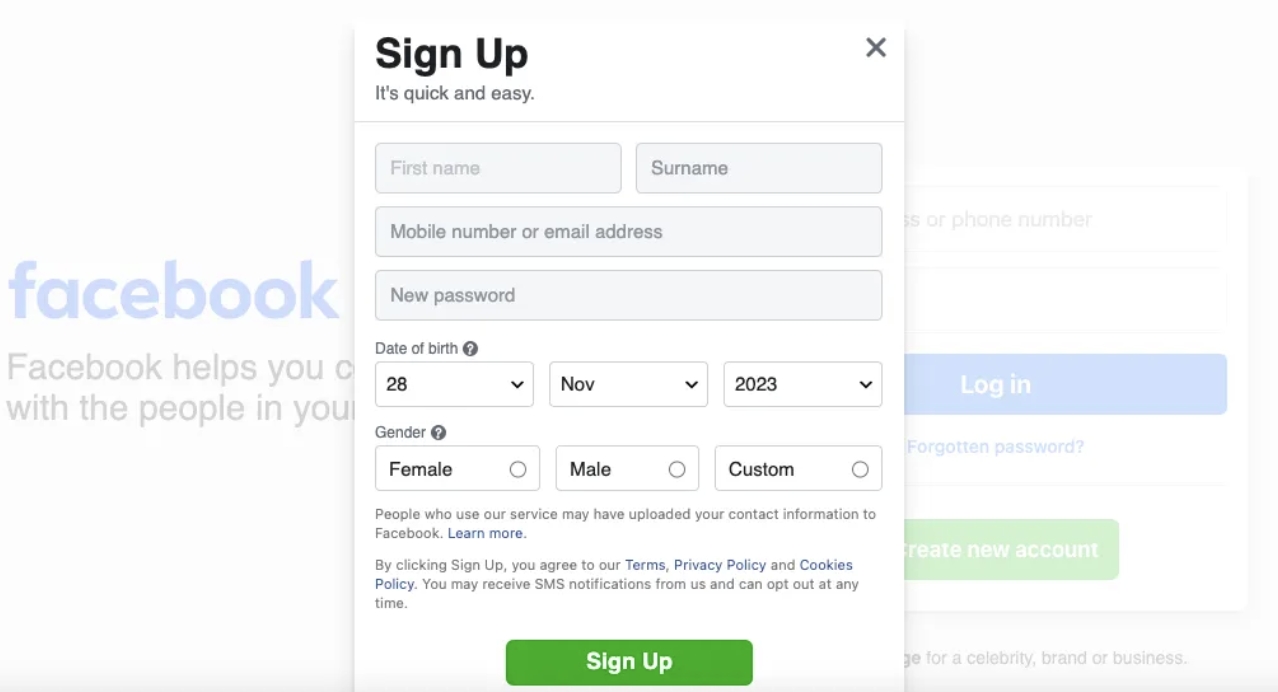
If you need to create multiple Facebook accounts, do it wisely.
- --Space Out Creation: Do not create several accounts in one day from the same IP.
- --Use Unique Information: Each account must have a unique name, email address, and phone number. Using the same phone number for verification is a guaranteed path to a ban.
- --Warm Up the Account: Before you start posting or adding friends, let the account sit for a few days. Then, slowly add a profile picture, a cover photo, and a few details. Mimic the organic behavior of a real person creating a new profile.
Step 5: Maintain Authentic, Account-Specific Behavior
Your operational security is just as important as your technical setup.
- --Act Like a Real User: Don't perform identical actions across all accounts at the same time. Vary your login times, the pages you visit, and the content you interact with.
- --Leverage Facebook Business Suite: For business and client pages, always use Facebook's Business Suite or Business Manager. This is the officially sanctioned way to manage multiple Pages and ad accounts from a single, secure dashboard without needing separate personal logins.
- --Avoid Cross-Account Interaction: Do not have your accounts like, comment on, or share each other's posts frequently. This creates an obvious link.
Common Pitfalls and How to Avoid Them
- --The "Logout/Login" Trap: Rapidly switching between accounts in the same browser session is a major red flag. Use the browser isolation methods mentioned above.
- --The "One Phone Number" Mistake: Using your personal mobile number to verify more than one account will link them permanently in Facebook's system.
- --Ignoring Facebook's Warnings: If you get a warning to confirm your identity, take it seriously. It's your last chance to review your setup before a ban.
Conclusion: Security is a Workflow, Not a Feature
Managing multiple Facebook accounts securely is not about finding a single magic tool. It's about building a disciplined workflow that combines policy awareness, technical separation (through browsers and profiles), and network-level security (through dedicated proxies).
By using Facebook's official business tools where possible and implementing a robust, isolated setup with a reliable service like UnoProxy for legitimate edge cases, you can protect your accounts, your data, and your business from costly disruptions.
Don't leave your accounts' security to chance. Build a professional, secure management system from the ground up. Explore UnoProxy's dedicated proxy solutions to give each of your Facebook accounts the unique, stable IP identity it needs to thrive securely.
