

A sudden TikTok ban can feel like being locked out of a vital part of your social world. If you are searching for "tiktok ban appeal" or "Will TikTok ban you if you use VPN?", you are likely looking for clear answers and a real solution. You have come to the right place. This guide provides a direct explanation of TikTok’s enforcement system in 2026 and offers a reliable path to regaining access. We will cover the official appeal process and examine technical solutions for network level issues, including how a residential proxy service like UnoProxy can provide a necessary, legitimate IP address when you face a persistent block.
How TikTok's Enforcement System Really Works
To fix a ban, you must first understand what caused it. The core question many users have is straightforward: does TikTok detect IP addresses?
The answer is yes. TikTok actively logs and analyzes IP addresses as a fundamental part of its security and moderation framework. Your IP address is a primary digital identifier for the platform. However, TikTok's system in 2026 is more sophisticated than a simple IP log. It uses a layered approach to enforce its rules.
This system typically involves three main components working together:
1. Account Ban: This action disables your specific profile for violations of community guidelines or terms of service.
2. IP Ban: This blocks the specific internet protocol address from which the violations occurred. This can affect every account trying to access TikTok from that network.
3. Device Ban (Fingerprinting): This is the most advanced layer. TikTok can create a unique profile of your device based on your phone’s model, operating system, screen settings, and even installed fonts. This makes simply switching accounts or networks on the same device ineffective.
Understanding this multi factor system is crucial. It explains why a quick fix often fails. You are not facing one locked door but several.
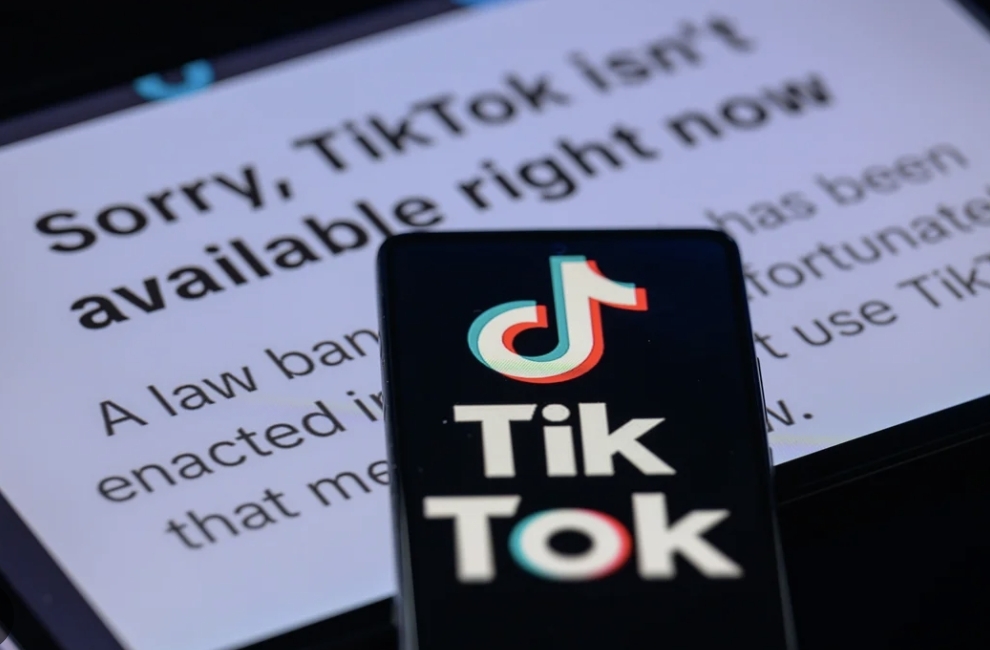
What Triggers a TikTok IP Ban? Common Violations
A "tiktok IP ban" usually results from specific, detectable behaviors. Knowing these reasons helps you diagnose your situation and craft a better appeal.
Severe Community Guidelines Violations
This includes posting content that involves bullying, hate speech, violent extremism, or dangerous acts. These are zero tolerance areas and lead to swift, severe penalties.
Intellectual Property and Copyright Strikes
Repeated use of unlicensed music, video clips, or other copyrighted material can result in strikes against your account. Accumulating these strikes is a common path to an account suspension, which can escalate to an IP ban if the system detects continued evasion attempts.
Spam and Artificial Engagement
TikTok's algorithms are designed to detect inorganic growth. Activities that trigger this include:
- -Using bots for likes, follows, or comments.
- -Purchasing fake followers or engagement packages.
- -Posting identical, spammy comments across many videos.
Circumventing a Previous Ban
This is the most direct way to trigger an immediate and more severe IP or device ban. If TikTok has banned an account and you immediately create a new one from the same device or IP, their system will flag this evasion.
Excessive Automated Behavior
Even without malicious bots, performing actions too quickly can appear robotic. Rapid fire liking, following hundreds of accounts per hour, or mass unfollowing can all be flagged as suspicious activity.
The VPN Question: A Major Risk Factor
Many users ask, "Will TikTok ban you if you use a VPN?" Using a VPN is not automatically a bannable offense. However, it introduces significant risk.
Most commercial VPNs and free proxy services use IP addresses from data centers. These IP pools are shared by thousands of users worldwide and are easily flagged by TikTok’s security systems. They are commonly used for spam and malicious activity, making them untrustworthy in the platform’s view.
Furthermore, if your VPN connection is unstable and your visible IP address jumps between countries in short periods, TikTok’s system may interpret this as stolen account behavior, triggering a security lock or shadow ban.
The key takeaway is that while a VPN might help with privacy, using a low quality, detectable data center IP is a common precursor to access problems. For users who require a stable and trustworthy new IP address, a residential proxy is often a more effective solution, as it provides an IP from a real internet service provider.
Your First Step: The Official TikTok Ban Appeal Process
Before any technical solution, you must attempt the official channel. A successful "tiktok ban appeal" can resolve the issue at its root.
1. Locate the Notification.
When logged into the app, a banner or notification will typically inform you of the ban. This message may contain a direct link to "appeal." Also check the email associated with your TikTok account for official correspondence.
2. Submit the Appeal.
Use the in app appeal form if available. If not, you can report a problem through TikTok’s Help Center. Be prepared to provide your username and details.
3. Write an Effective Appeal.
Be Polite and Professional. Anger or demands will not help.Be Clear and Concise. State your username and that you are appealing a ban.State Your Case Calmly. If you believe it was a mistake, explain why. For example, "My access was blocked while using a shared university network, which may have been flagged by another user’s activity." If you violated a rule, acknowledge it briefly, express understanding, and state your commitment to follow guidelines.Provide Evidence if Possible. Screenshots or other proof can be useful.
4. Wait Patiently.
Response times can vary. Avoid submitting multiple appeals in a short period, as this may slow down the process.
This method is the only way to potentially reverse a permanent account ban. It should always be your first action.
Technical Solutions for a TikTok IP Ban
If your appeal is unsuccessful but you believe the ban is primarily at the IP or network level, there are technical steps you can take. These address the digital "location" TikTok has blocked.
Start with Basic Troubleshooting
- -Restart Your Router: For users with a dynamic IP from their internet provider, turning your modem and router off for several minutes may assign you a new IP address. This is not guaranteed.
- -Use a Different Network: Try accessing TikTok from a completely separate network. Switching from your home Wi Fi to your mobile phone’s data connection is a strong test. If you can access TikTok on data but not Wi Fi, your home IP is likely banned.
- -Clear App Data: On your device, clear TikTok’s cache and data, or uninstall and reinstall the app. This can help reset any corrupted local data.
The Residential Proxy Solution for Persistent IP Bans
When basic steps fail, the issue is that TikTok has blacklisted your current IP address. You need a new one that the platform will trust. This is where the type of IP matters greatly.
A residential proxy provides an IP address assigned by a real internet service provider to a real household. To TikTok, traffic from this IP looks identical to that of a regular user in a specific city. This is fundamentally different from the data center IPs used by most VPNs.
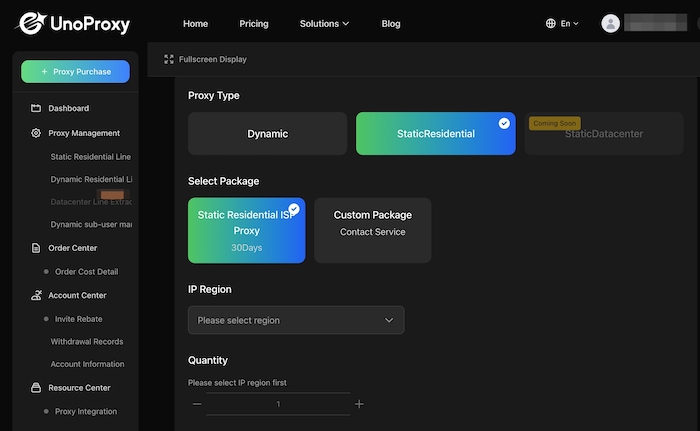
Implementing this solution requires a specialized service. UnoProxy offers access to a large, rotating network of these authentic residential IPs. By configuring your device to route its TikTok connection through an UnoProxy residential IP, you replace your banned address with a clean, legitimate one. This step is critical for bypassing an IP based block.
It is essential to use this tool responsibly. A residential proxy solves the network layer problem. It does not reverse a permanent account ban or device fingerprint ban. This solution is intended for users who have resolved their account status or who are dealing with a false positive IP block, such as those on a shared network where another user caused the issue.
How to Protect Your Account and Avoid Future Bans
Prevention is the most effective strategy. Follow these practices to maintain good standing on TikTok.
- -Read and follow the TikTok Community Guidelines and Terms of Service. Ignorance of a rule is not an accepted excuse.
- -Only use licensed music and sounds available in TikTok’s commercial library, or ensure you have the rights to any external audio.
- -Avoid any third party service that promises to deliver followers, likes, or views. These violate terms of service and almost always use bot networks.
- -Engage with content naturally. Space out your interactions and focus on genuine community participation.
- -Secure your account with a strong, unique password and enable two factor authentication.
FAQs
Do IP strikes on TikTok go away?
Yes, they typically can. IP related flags are often part of a temporary or escalating penalty system. A single strike may expire after a period of compliant behavior. However, accumulating multiple strikes leads to longer or permanent restrictions. Successfully appealing a ban can also remove the associated strike.
What is an IP violation on TikTok?
An IP violation refers to any activity originating from an IP address that breaks TikTok’s rules. This could be the actions from your account. It could also be activity from another user on the same shared network, like a school, office, or apartment building Wi Fi, which is a common cause of false positive bans.
How long does a TikTok IP ban last?
The length depends on the violation’s severity. Temporary bans for minor offenses can last from 48 hours to a week. Permanent IP bans are indefinite and are reserved for severe, repeated violations or systematic ban evasion. Your ban notification message usually provides the best indication of the duration.
Regaining Access with Knowledge and the Right Tools
Resolving a TikTok IP ban in 2026 requires a informed, two step approach. First, always pursue the official appeal process through TikTok's support system. This is the legitimate way to address account level issues.
If you are facing a confirmed network level block, understand that the technical solution requires a clean, residential IP address. Tools like UnoProxy's residential proxy service are designed for this specific purpose, providing a trustworthy IP that helps you navigate around an IP ban when used correctly and ethically.
